How Do I View Group Picks?
There are two ways to view group picks.
From the home tab
If you are looking for the picks for the current race, you can simply tap on the current race banner at the top of the home tab.
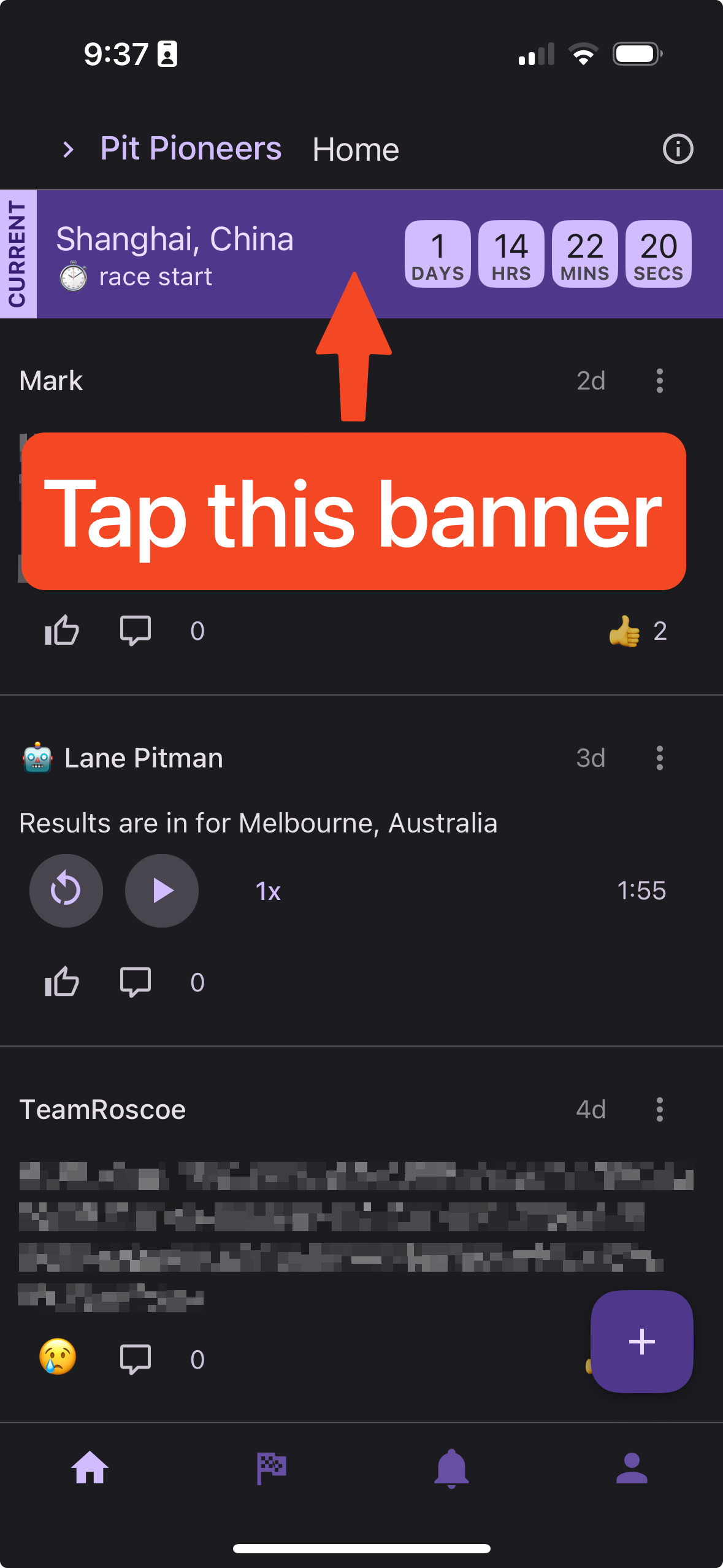
Note: If the picks for the race are not due yet, this banner will take you to the pick screen to make your pick for the current race.
If you do not see the banner and see the tips instead, you can tap the "X" button to close the tips and reveal the current race banner.

From the league tab
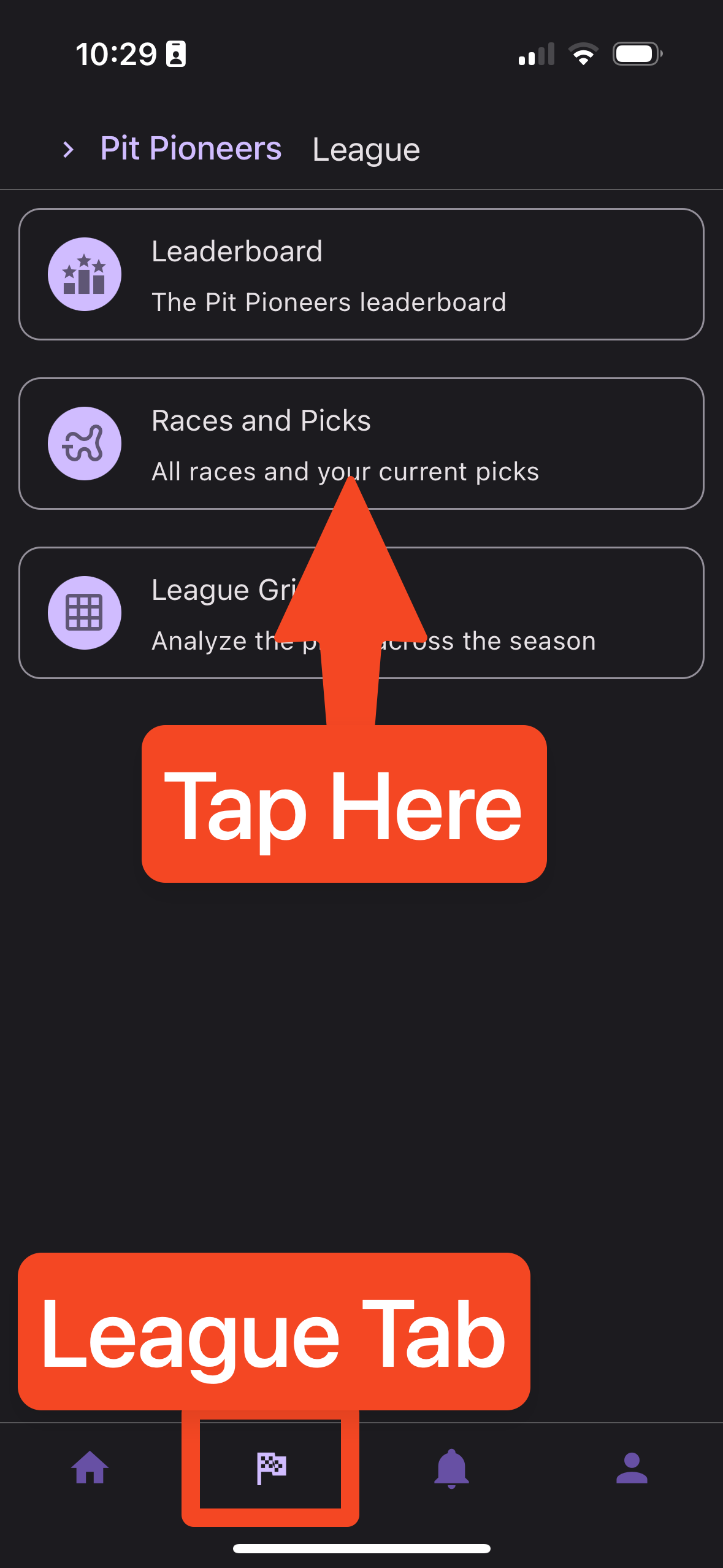
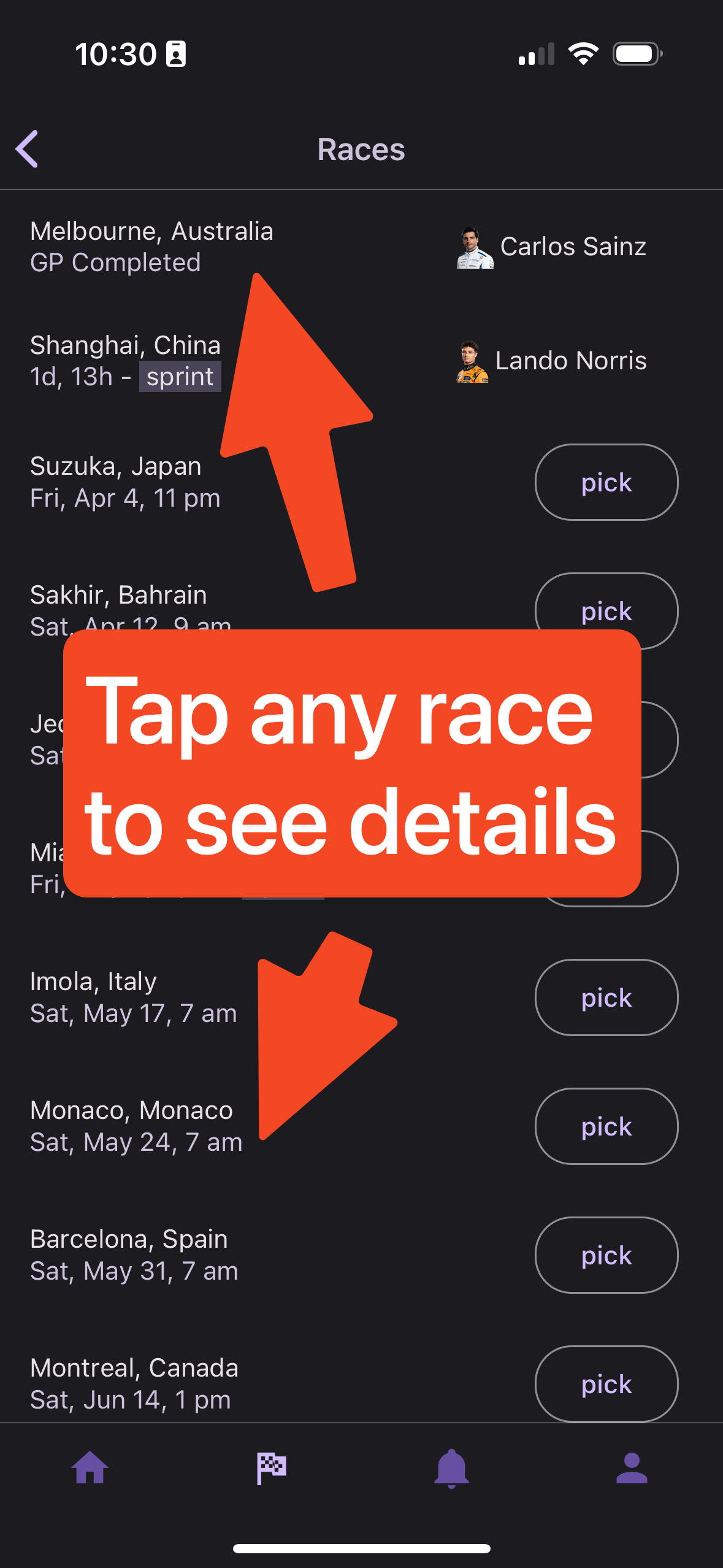
If you are looking for the picks for a specific race, you can tap on the race in the league tab.
From the race list, tap on the race you're interested in to view the picks for that race. If the picks haven't locked yet, other peoples' picks will not be shown
Other questions? Reach out anytime by emailing [email protected].